Add GitHub account : Skip this step if you already have added your GitHub account in Xcode.
You can add your GitHub account by following
the steps (
only until it adds your GitHub account).
Final package URL: https://github.com/silence-laboratories/silent-shard-artifacts. There are
other ways also to get the package URL. For example,
we can create fine-grained personal access token and use it to build the package URL but not
including it for keeping package access simple for instructions.
Step 3: Open Package(SPM) Collection Window
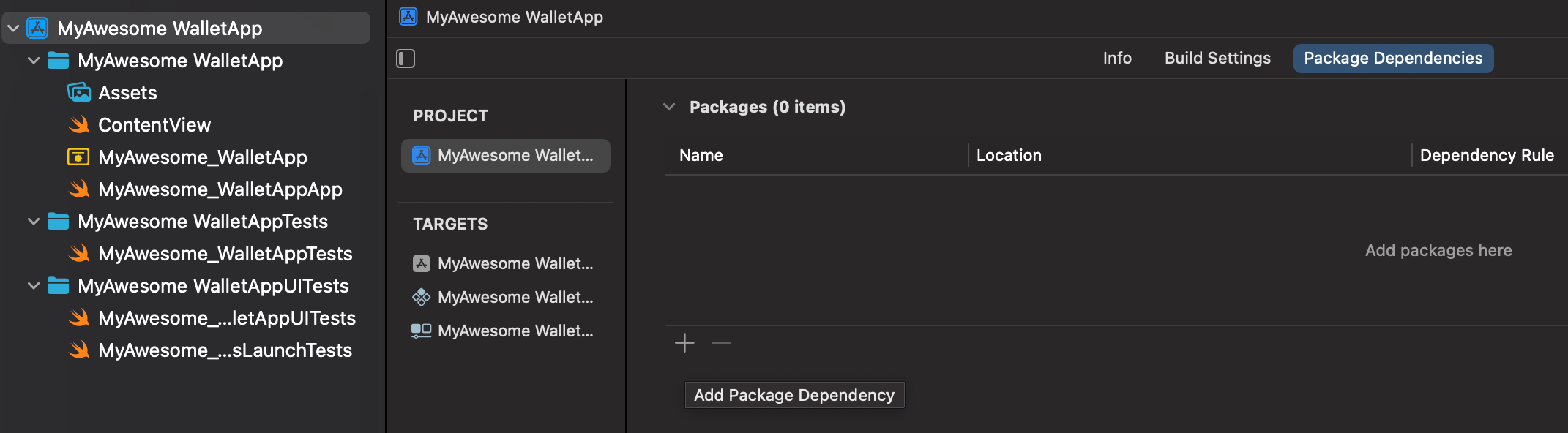
In Xcode, open the Project Navigator.
Select the project file (the root item in the navigator).
In the Project Editor, select your project(Your Xcode Project title under Project section).
Navigate to the Package Dependencies tab. See below
Click the + icon (hint :Add Package Dependency) at the bottom of the Package Dependencies section.
A dialog box will appear prompting you to enter a package URL.
Step 4: Add Package
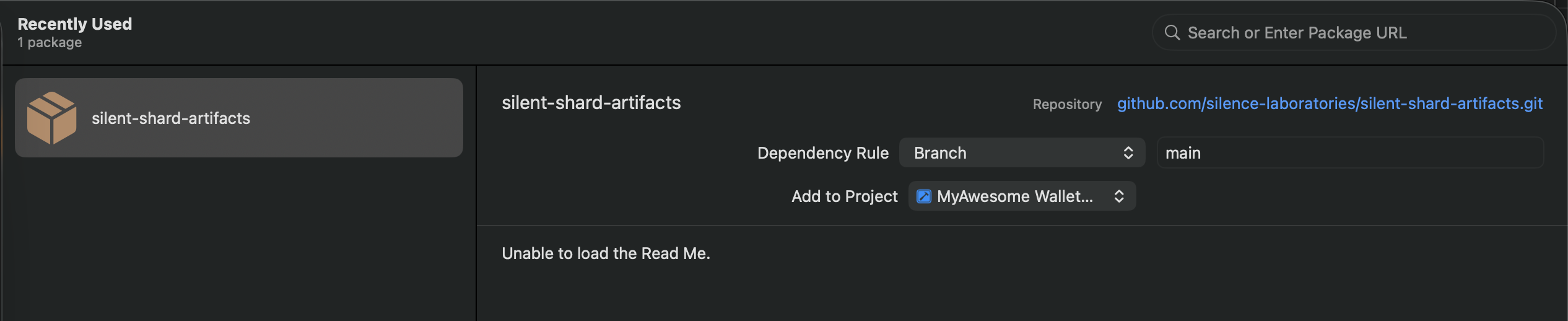
Copy the package URL (We get this from Step 2).
Paste this URL into the Search or Enter Package URL box.
Select the silentshard-artifacts on the left panel.
Click Add Package to proceed.
Step 5: Confirm and Add Package
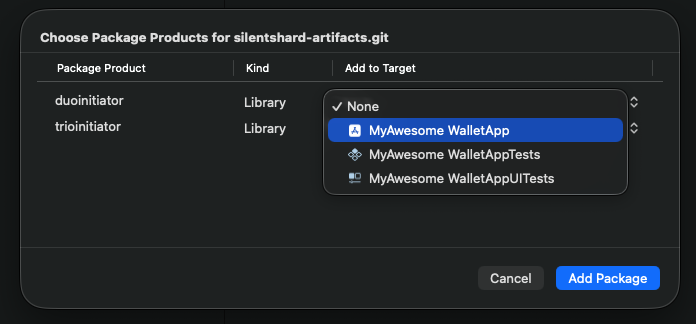
Xcode will fetch the package details.
Add library duo to your targets By clicking dropdown from the "
Add to Target" items.