Quick Start
If you don't have have access to the docker image or don't have access to the iOS sdk repository, please contact us at info@silencelaboratories.com.
Here is how you can setup the Mobile SDK and perform MPC operations in less than a minute.
You will create a working MPC three-party setup, where the first party, an iOS application interacts with Trio Server as a second party, and a third party.
What you'll build
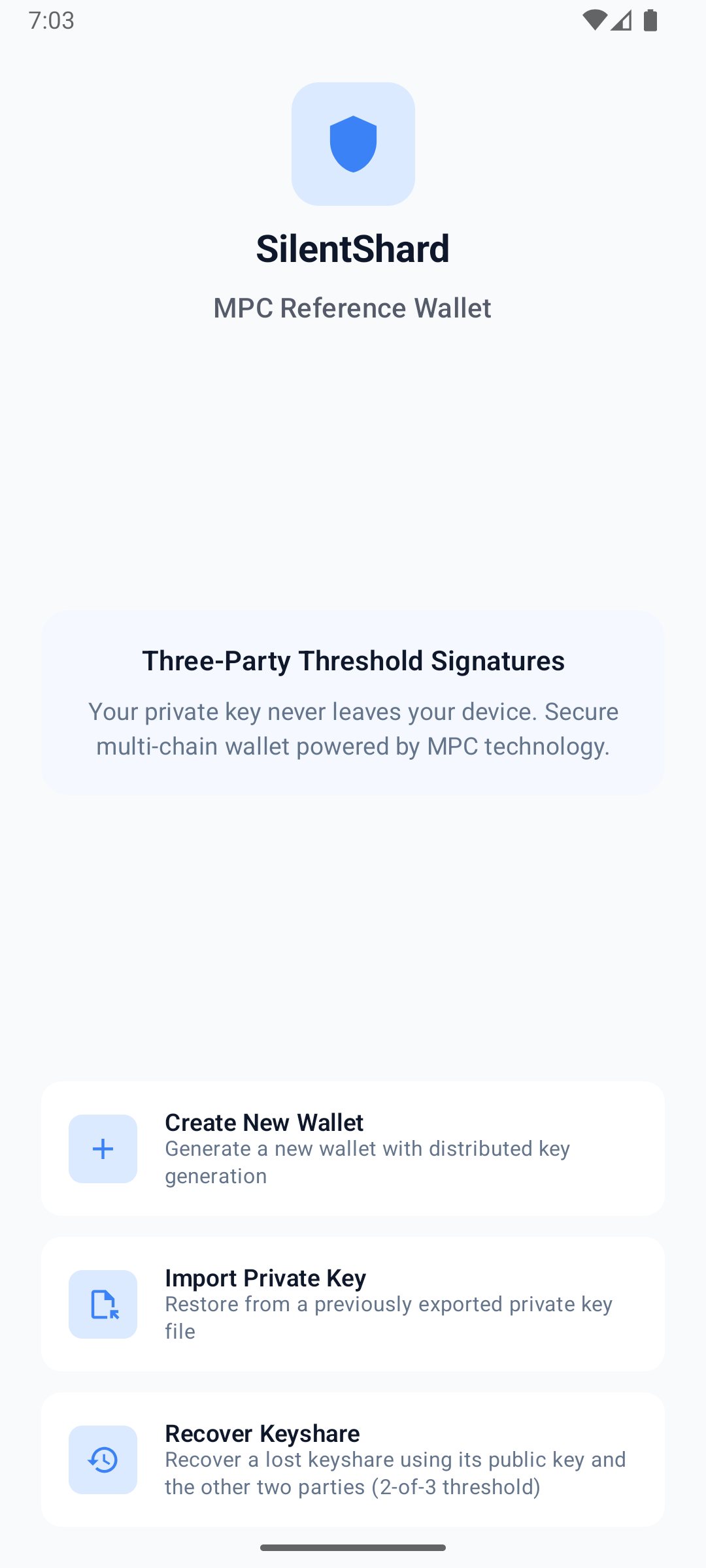
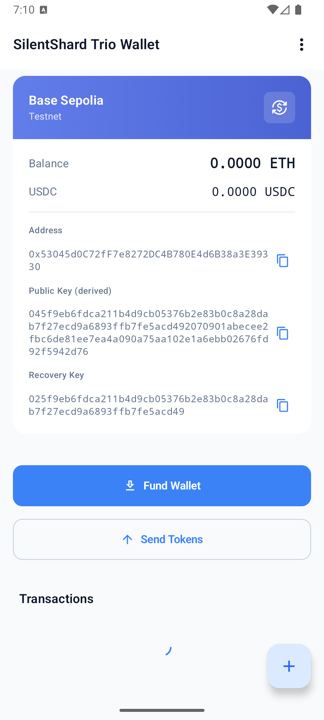
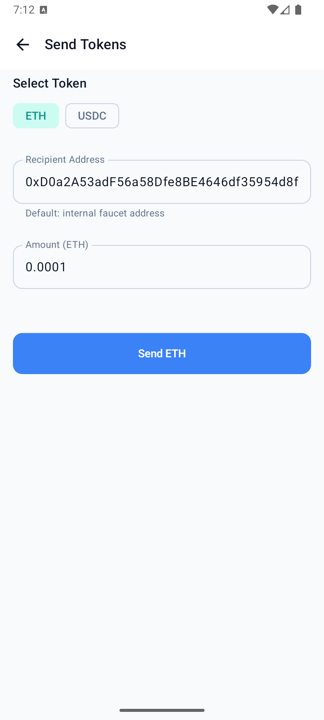
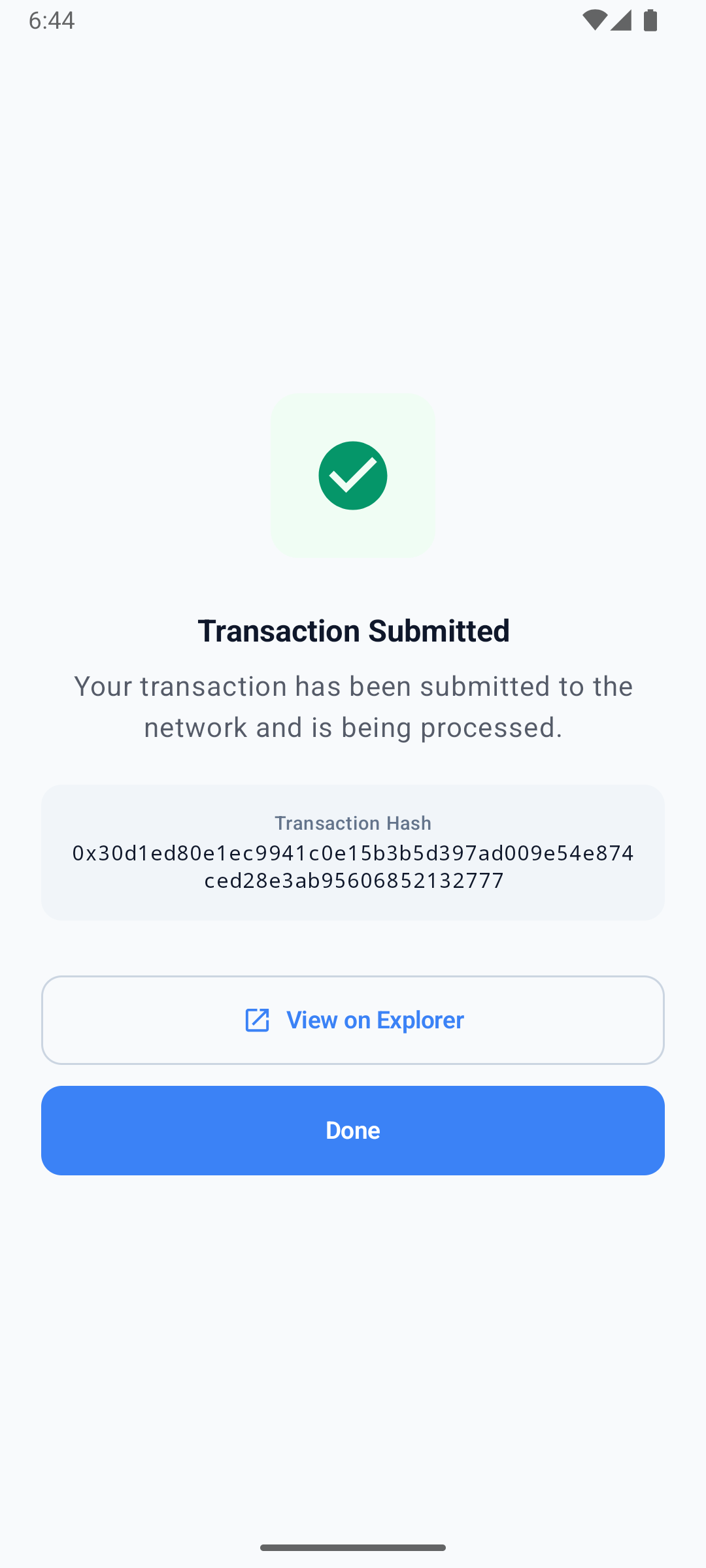
The example-hub reference wallet is a complete iOS app that creates a 2-of-3 MPC wallet and signs real Ethereum (Base Sepolia) and Solana (Devnet) transactions. This guide walks through its core MPC code — session setup, keygen, and signing. Clone the app to run the whole thing: wallet UI, funding, and on-chain transactions.
Prerequisites
For quick testing, the demo server is already deployed at trio-server.demo.silencelaboratories.com. We are using this server for the quickstart guide.
The Cloud Verifying Key for the demo server is 9c4c79e942bbc3ff1d6ace7256404d701498056978cc4638c35832acdf821b1e.
The Cloud Node Endpoint for the demo server is https://trio-server.demo.silencelaboratories.com.
Setup the Mobile SDK (iOS)
The quickest way to get running is to clone the reference app and launch it:
git clone https://github.com/silence-laboratories/examples-hub.git
cd examples-hub/silent-shard-sdk/with-ios/trio-initiator
Open SilentShardWalletTrio.xcodeproj in Xcode, let Swift Package Manager resolve the SDK dependency, and run it on a physical device (the Secure Enclave signer requires real hardware). iOS resolves the SDK package through your GitHub account — add it in Xcode → Settings → Accounts (see Dependency Installation below). It talks to the public demo server out of the box, so you can create a wallet and sign a transaction right away. The full file-by-file walkthrough (keygen, signing, export, key refresh, and more) is in Android & iOS reference apps.
Session Creation
A TrioSession is the handle for all MPC operations (keygen, sign, and so on). The reference app builds one session per algorithm inside its VaultSessionManager:
private let messageSigner: MessageSigner
private let store: EncryptedFileStorage

/// One storage client per algorithm. The MPC SDK's `StorageClient` API has
/// no concept of an algorithm tag, so each instance embeds its own ``KeyType``
/// in the serialized record. Reads from any instance see the same files, so
/// either client can resolve any keyId.
private let ecdsaStorage: EncryptedStorageClient
private let eddsaStorage: EncryptedStorageClient

private var ecdsaSession: TrioSession?
private var eddsaSession: TrioSession?

private static let demoServerUrl = "trio-server.demo.silencelaboratories.com"
private static let cloudVerifyingKey = "9c4c79e942bbc3ff1d6ace7256404d701498056978cc4638c35832acdf821b1e"

init() {
    let fileStore = EncryptedFileStorage()
    let signer: MessageSigner
    do {
        // SecureEnclaveMessageSigner is the app's own implementation of the SDK's MessageSigner
        // interface, signing with a hardware-backed key (Secure Enclave).
        signer = try SecureEnclaveMessageSigner()
    } catch {
        fatalError("Failed to initialize Secure Enclave: \(error). Use a physical device.")
    }
    self.messageSigner = signer
    self.store = fileStore
    // EncryptedStorageClient is the app's own implementation of the SDK's StorageClient
    // interface, one per algorithm (ECDSA / EdDSA).
    self.ecdsaStorage = EncryptedStorageClient(store: fileStore, algorithm: .ecdsa)
    self.eddsaStorage = EncryptedStorageClient(store: fileStore, algorithm: .eddsa)
}

private func createWebsocketConfig() -> WebsocketConfig {
    WebsocketConfig(url: Self.demoServerUrl, port: 443, isSecure: true)
}

// One TrioSession per algorithm, each bound to the message signer, the cloud
// verifying key, the websocket config, and its storage client.
private func getEcdsaSession() -> TrioSession {
    if let session = ecdsaSession { return session }
    let session = SilentShard.ECDSA.trioInitiator(
        messageSigner: messageSigner,
        cloudVerifyingKey: Self.cloudVerifyingKey,
        websocketConfig: createWebsocketConfig(),
        storageClient: ecdsaStorage
    )
    ecdsaSession = session
    return session
}

private func getEddsaSession() -> TrioSession {
    if let session = eddsaSession { return session }
    let session = SilentShard.EdDSA.trioInitiator(
        messageSigner: messageSigner,
        cloudVerifyingKey: Self.cloudVerifyingKey,
        websocketConfig: createWebsocketConfig(),
        storageClient: eddsaStorage
    )
    eddsaSession = session
    return session
}
SecureEnclaveMessageSigner and EncryptedStorageClient are not SDK types — they are the reference app's own implementations of the SDK's MessageSigner and StorageClient interfaces (Secure Enclave-backed P-256 signing and encrypted keyshare storage). Supply your own implementations, or clone the example-hub app to use these as-is.
Run the MPC operations
After creating the session, you can perform MPC operations.
Key Generation
Generate MPC keyshares with the keygen method. It returns a keyId (a String); the SDK persists the keyshare to your StorageClient and every later operation is addressed by that keyId. Here is how the reference app does it:
func keygen(type: KeyType) async throws -> KeygenResult {
    log.info("Keygen started: \(type.rawValue)")
    // sessionForKeyType(...) is this app's own helper (not an SDK method) — it returns the TrioSession
    // we created earlier for this algorithm (ECDSA or EdDSA).
    let session: TrioSession = sessionForKeyType(type)
    // keygen() is the SDK call: runs the MPC protocol, persists the keyshare to your
    // StorageClient, and returns the keyId that addresses it.
    let keyId = try await session.keygen().get()
    let publicKey = try await extractPublicKey(keyId: keyId)
    log.info("Keygen completed: keyId=\(keyId), pubKey=\(publicKey.count) bytes")
    return KeygenResult(keyId: keyId, publicKey: publicKey)
}
Signature Generation
Sign a message using the sign method, passing the keyId returned from keygen:
func sign(keyId: String, message: Data, derivationPath: String) async throws -> Data {
    log.info("Sign started: keyId=\(keyId), msg=\(message.count) bytes")
    let record = try loadRecord(keyId: keyId)
    let messageHex = message.map { String(format: "%02x", $0) }.joined()
    // sessionForKeyType(...) is this app's own helper (not an SDK method) — it returns the TrioSession
    // we created earlier for this key's algorithm (the stored record's keyType).
    let session: TrioSession = sessionForKeyType(record.keyType)
    // sign() is the SDK call: it produces the threshold signature for the key addressed by keyId.
    let sig = try await session.sign(keyId: keyId, message: messageHex, derivationPath: derivationPath).get()
    log.info("Sign completed: \(sig.count) bytes")
    return sig
}
The SecureEnclaveMessageSigner, EncryptedStorageClient, and WebSocket client shown are the reference app's implementations — hence for reference only, not a recommendation. Provide your own for production.
Setup your own app
Prefer to wire the SDK into your own app instead of the reference project? Create a new Xcode project by following the official guide (or use an existing one), then add the SilentShard dependency.
Dependency Installation
Step 1: Create Package URL
- Get access to the repository https://github.com/silence-laboratories/silent-shard-artifacts from the Silence Laboratories team.
- Get the package URL
- Add GitHub account : Skip this step if you already have added your GitHub account in Xcode. You can add your GitHub account by following the steps ( only until it adds your GitHub account).
- Final package URL: https://github.com/silence-laboratories/silent-shard-artifacts.
Step 2: Open Package(SPM) Collection Window
- In Xcode, open the Project Navigator.
- Select the project file (the root item in the navigator).
- In the Project Editor, select your project(Your Xcode Project title under
Projectsection). - Navigate to the Package Dependencies tab. See below
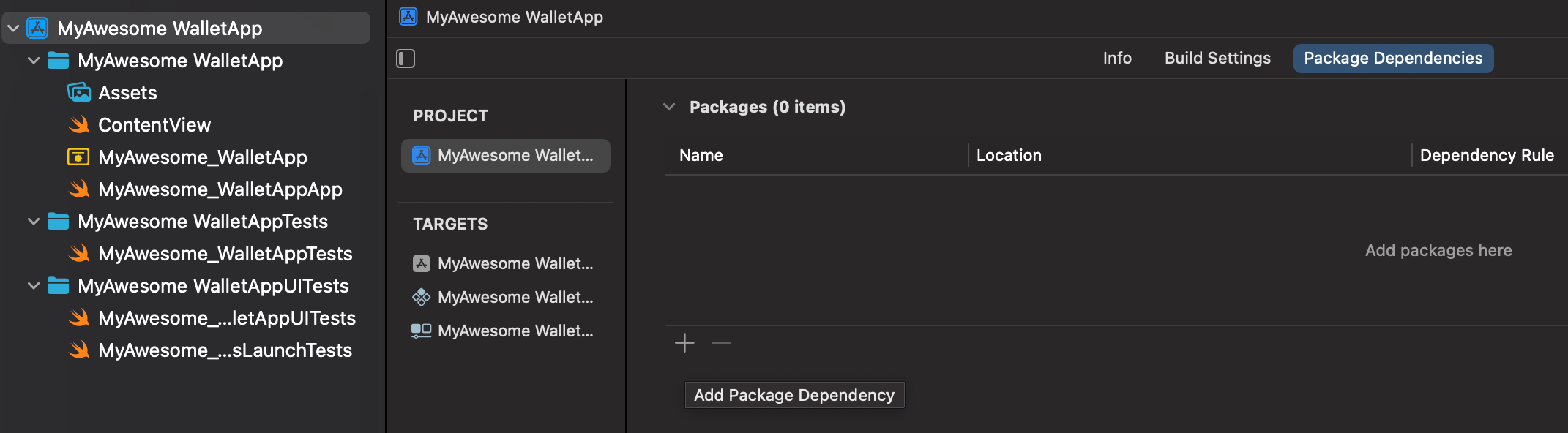
- Click the + icon (hint :Add Package Dependency) at the bottom of the Package Dependencies section.
- A dialog box will appear prompting you to enter a package URL.
Step 3: Add Package
- Copy the package URL (We get this from Step 2).
- Paste this URL into the
Search or Enter Package URLbox.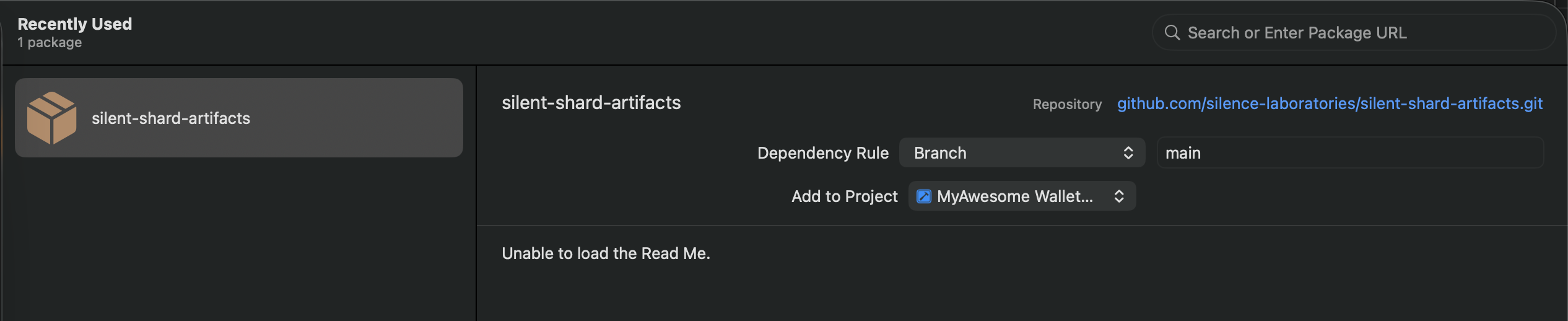
- Select the
silentshard-artifactson the left panel. - Click Add Package to proceed.
Step 4: Confirm and Add Package
- Xcode will fetch the package details.
- Add library
trioto your targets By clicking dropdown from the " Add to Target" items.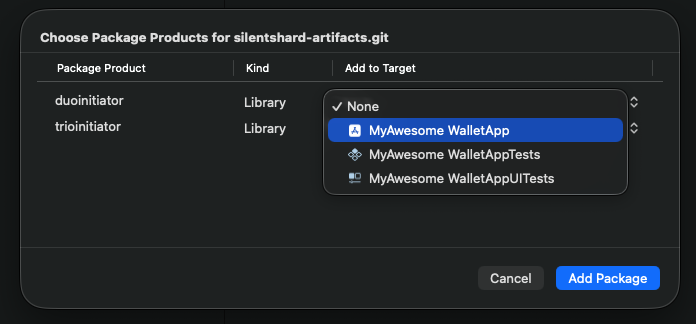
- Click Add Package to complete the installation.
With the SDK package added, wire it up the same way the reference app does — create a session, then run keygen and signing.