Installation
Step 1 : Setup XCode Project
- Install XCode (latest stable version recommended)
- Create new xcode project if you haven't.
Step 2: Create Package URL
- Get access to the repository https://github.com/silence-laboratories/silentshard-artifacts from the Silence Laboratories team.
- Get the package URL
- Add GitHub account : Skip this step if you already have added your GitHub account in Xcode. You can add your GitHub account by following the steps ( only until it adds your GitHub account).
- Final package URL: https://github.com/silence-laboratories/silentshard-artifacts. There are other ways also to get the package URL. For example, we can create fine-grained personal access token and use it to build the package URL but not including it for keeping package access simple for instructions.
Step 3: Open Package(SPM) Collection Window
- In Xcode, open the Project Navigator.
- Select the project file (the root item in the navigator).
- In the Project Editor, select your project(Your Xcode Project title under
Projectsection). - Navigate to the Package Dependencies tab. See below
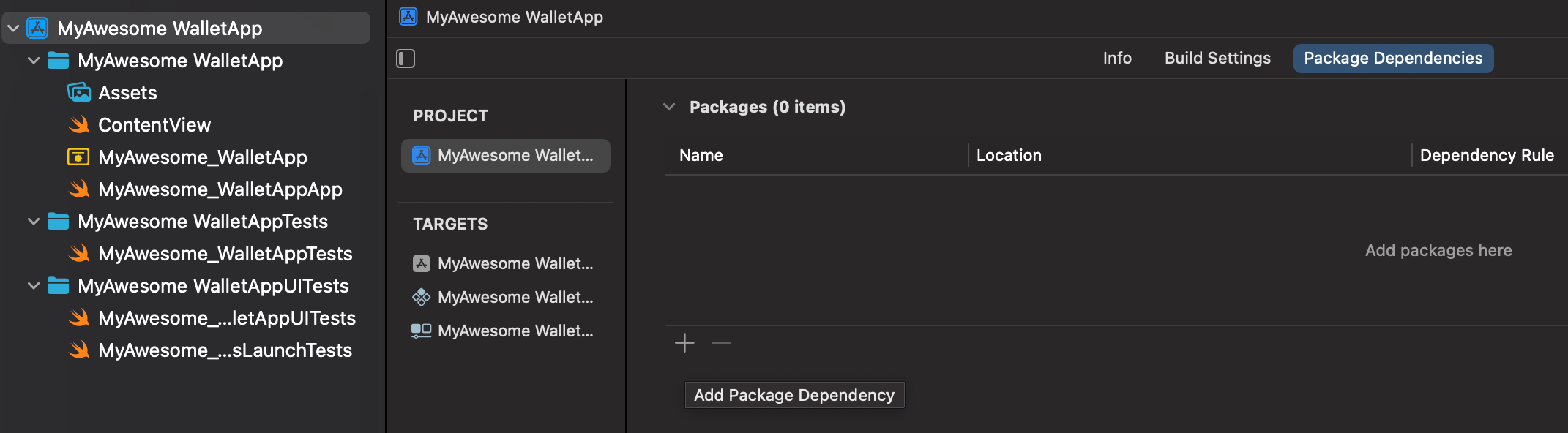
- Click the + icon (hint :Add Package Dependency) at the bottom of the Package Dependencies section.
- A dialog box will appear prompting you to enter a package URL.
Step 4: Add Package
- Copy the package URL (We get this from Step 2).
- Paste this URL into the
Search or Enter Package URLbox.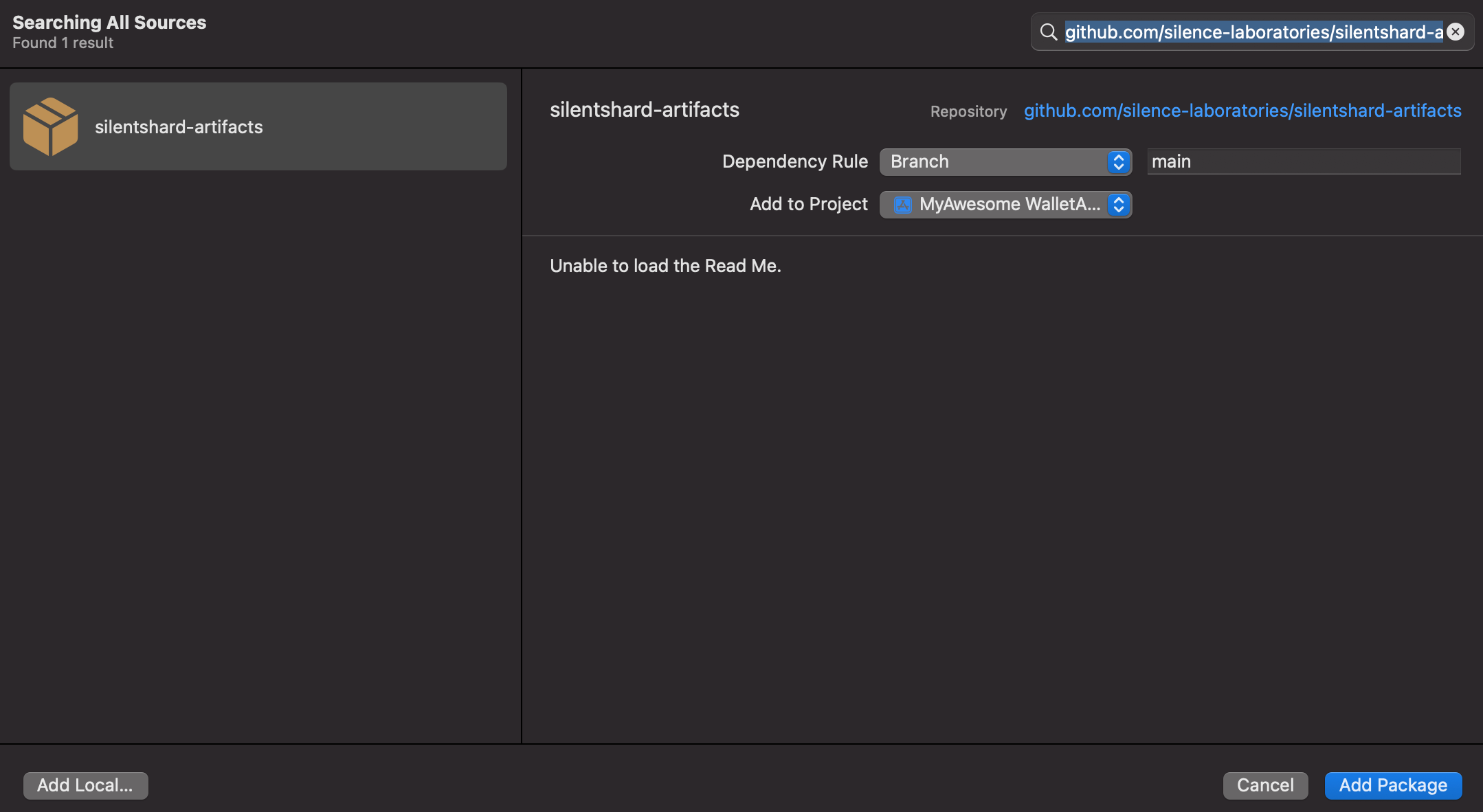
- Select the
silentshard-artifactson the left panel. - Click Add Package to proceed.
Step 5: Confirm and Add Package
- Xcode will fetch the package details.
- Add library (silentshardduo, c2dkls, duo_schnorr) to your targets By clicking dropdown from the "
Add to Target" items.
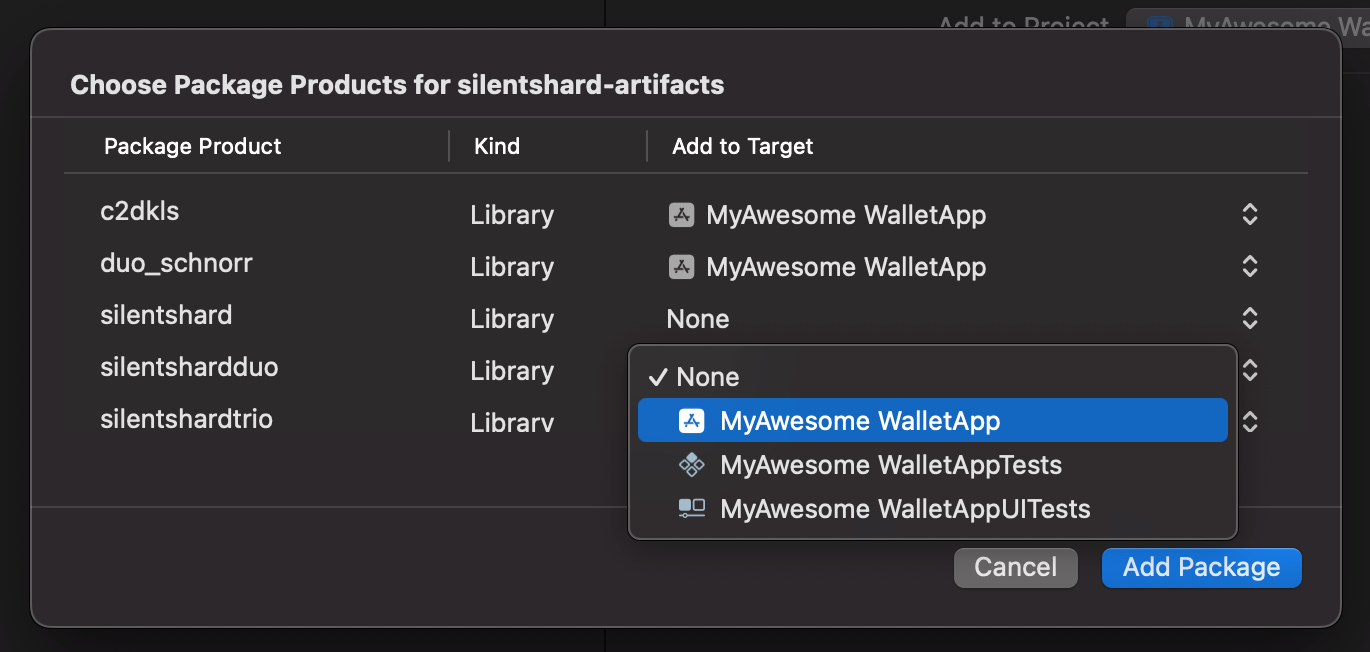
- Click Add Package to complete the installation.